Twitch Clip Reactions
Adding a reaction and Like system to Twitch Clips so viewers can engage with clips.
Role
Lead Designer
Team
1 Designer · 1 PM · 8 Engineers
Timeline
May 2025 - September 2025
Context
Clips are short, shareable highlights from Twitch livestreams. Before this project, viewers had no way to interact with or provide feedback on them. We developed the Reactions framework to fill this gap, allowing the community to respond with a like or choose from four expressive reactions.
My role
Lead product designer on a 0-to-1 feature, owning end-to-end design, interaction, visual, motion, and QA.
- Defined the reaction set and design system in partnership with DS team
- Designed both viewer-side and creator-side experiences across mobile and web
- Delivered high-fidelity motion specs via Adobe After Effects and Figma prototyping for engineering handoff
Mobile explorations
Exploring placement options for the reaction entry point on mobile.
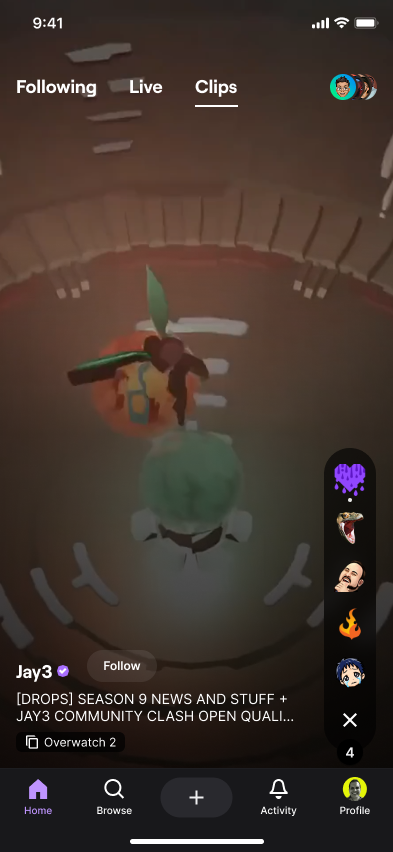
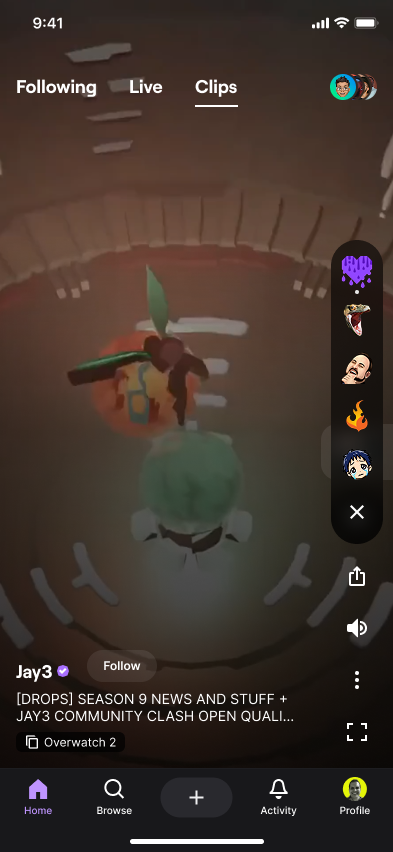
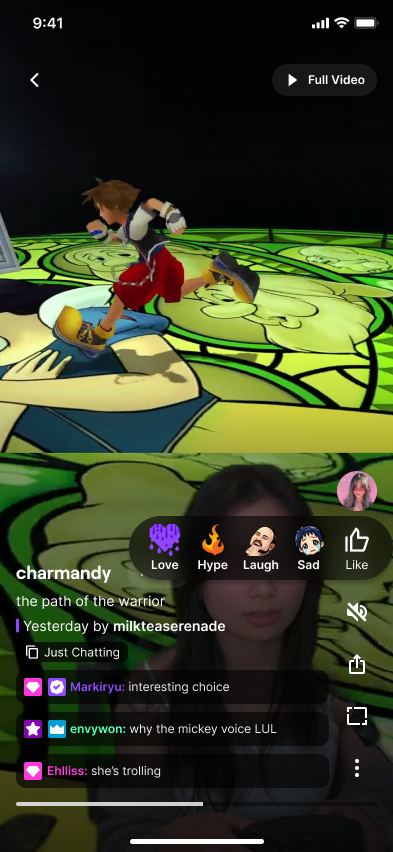
Final design: a Like button under the creator avatar to match viewer expectations from TikTok and Reels, with a horizontal reaction menu positioned for more ergonomic thumb placement.
Web placement
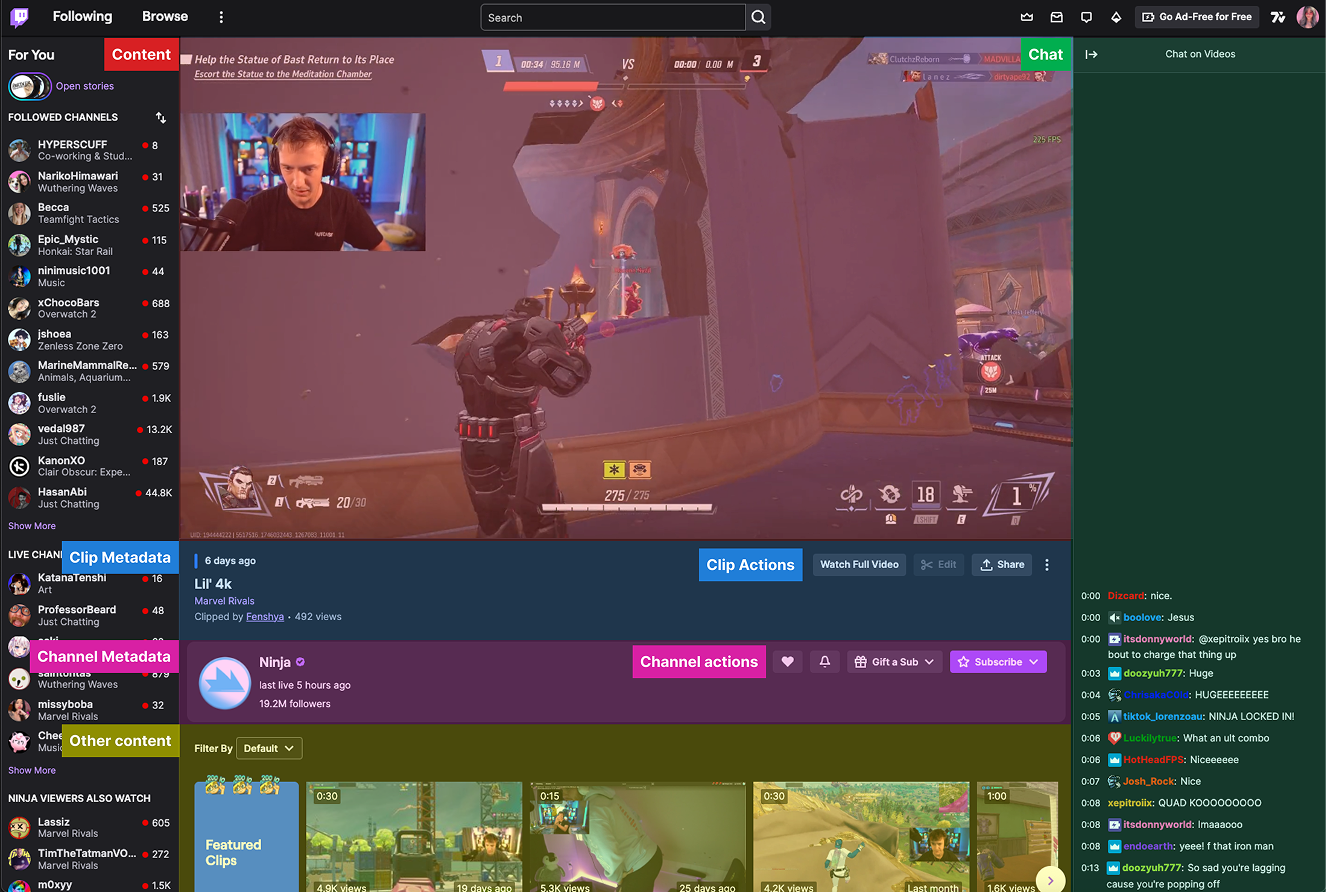
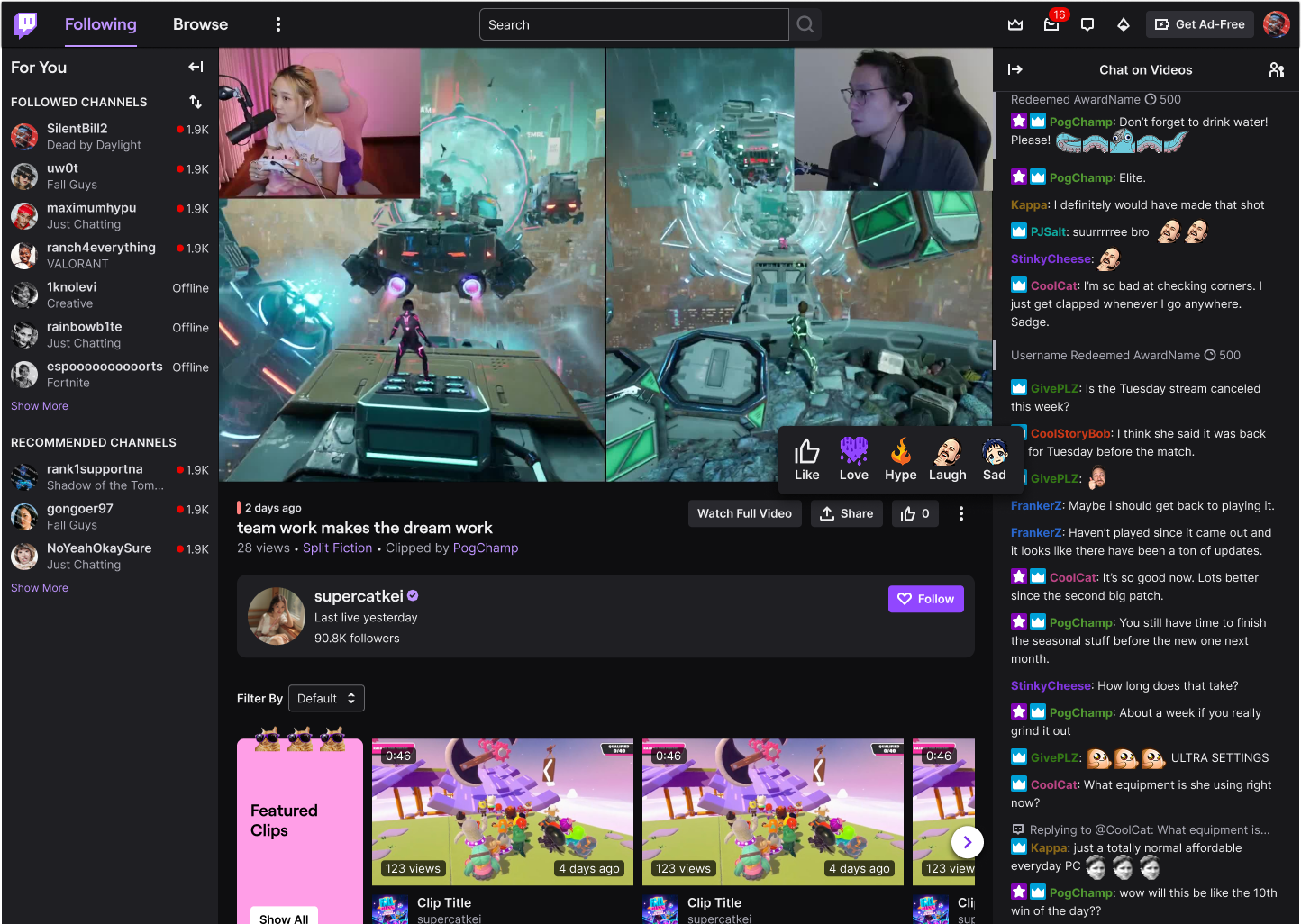
Looking at the Twitch clip player on desktop, it made the most sense to group the Reaction button with the other clip actions like "Watch Full Video."
Web design
The Reaction button sits inline with the clip actions and expands into a hover menu of all five reactions on web.
Web hover and menu interactions
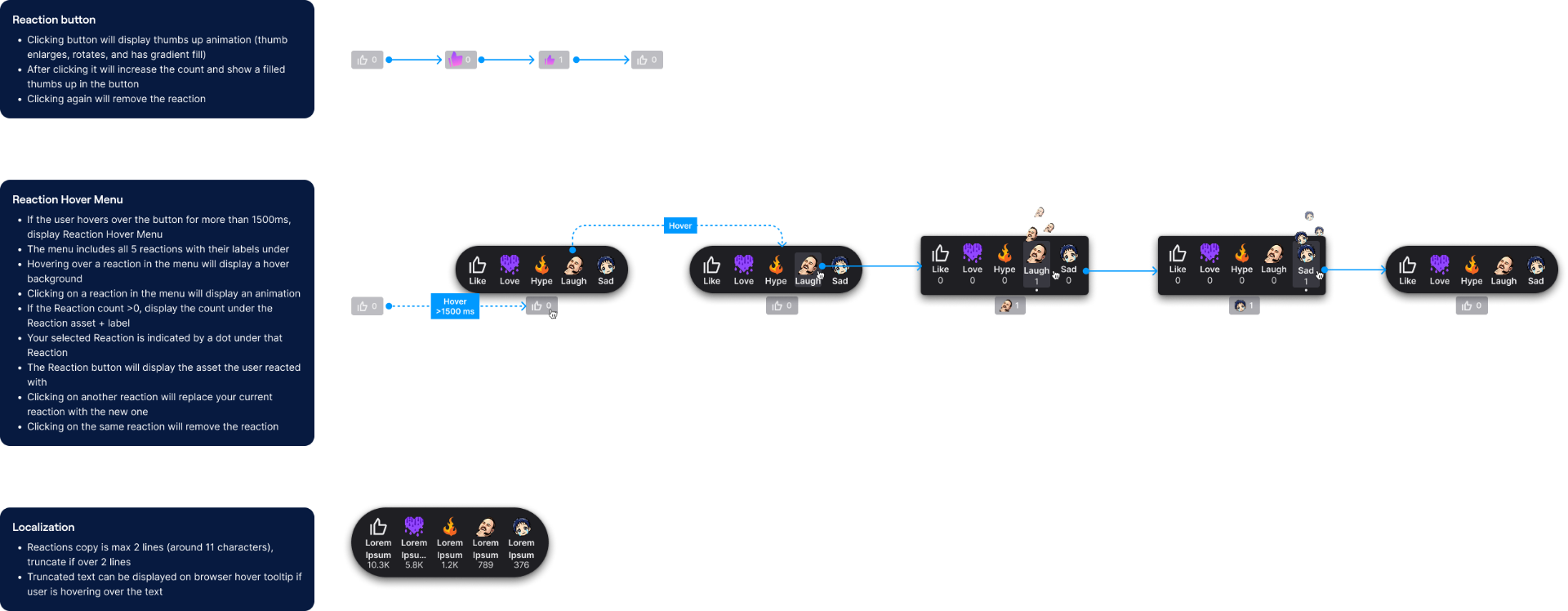
Detailed interaction spec covering the reaction button states, the hover menu behavior, and localization rules.
Customization
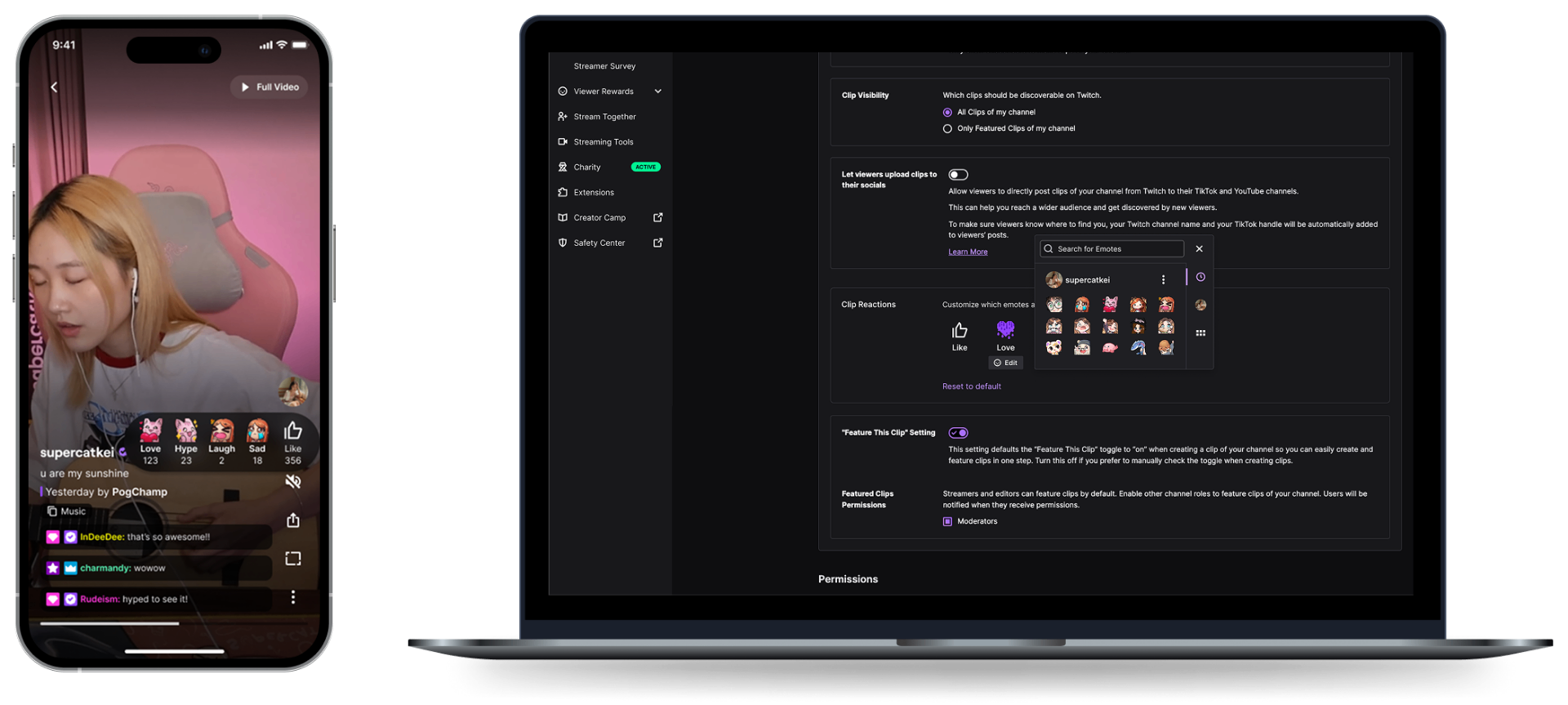
On Twitch, creators care deeply about their channel identity, so a key feature was allowing reactions to be customized with a creator's own emotes, helping each community feel unique and personal. Creators can customize their reactions via the Twitch Creator Dashboard on web, and the customized emotes are shown to viewers on both mobile and web.
Motion & interaction design
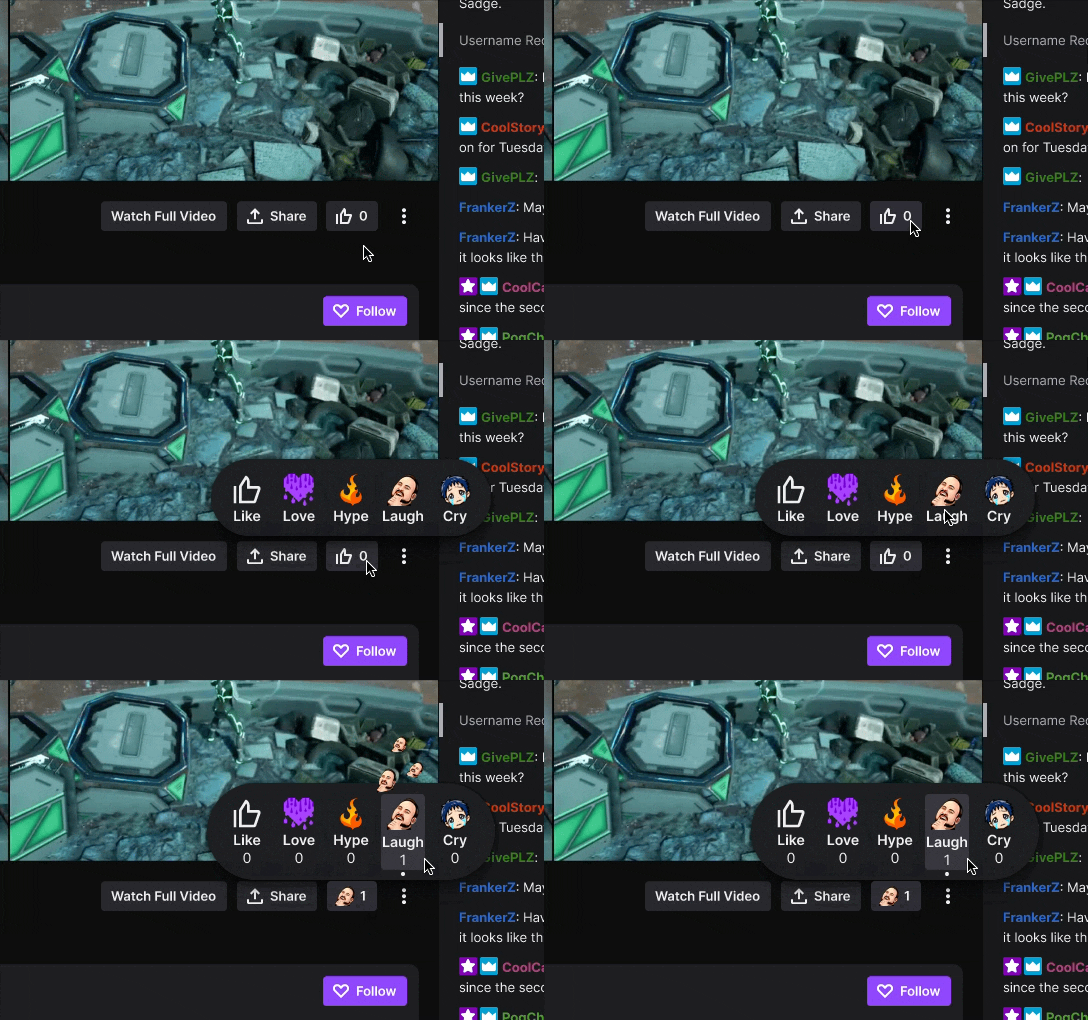
Since the success of Reactions relied on the emotional "reward" of sending feedback, I invested heavily in motion and animation design. I wanted every interaction to feel snappy and satisfying, mimicking the high-energy atmosphere of a live Twitch stream. I utilized After Effects and Figma prototyping to hand off precise animation specs, helping our engineers bring these high-fidelity transitions to life across both mobile and web.
Feedback loop
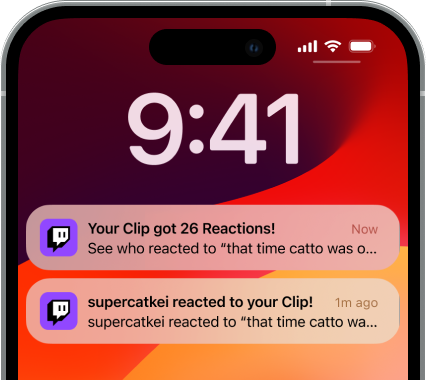
We designed a feedback loop that notifies clip creators when their clips receive reactions, reinforcing engagement and helping creators understand how their content resonates with viewers.
Accessibility
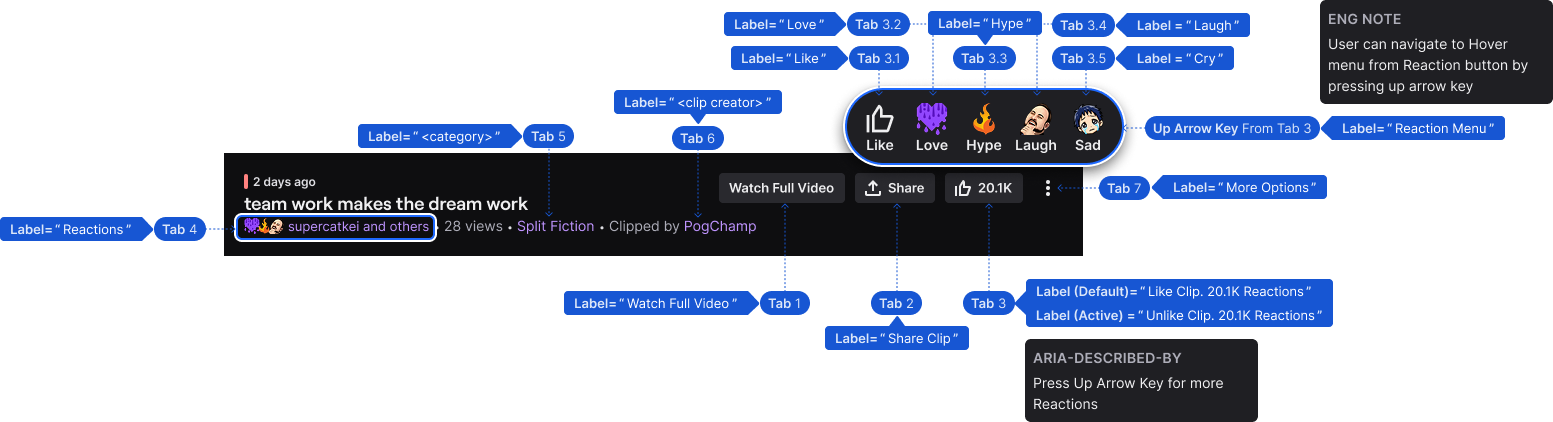
I made sure the Reactions experience met WCAG AA standards across color contrast, focus states, and touch target sizing. I also specified full keyboard tab ordering, ARIA labels for every reaction button, descriptive states for the like toggle, and an up-arrow shortcut from the Reaction button into the hover menu, so keyboard and screen reader users got the same expressive experience as everyone else.
Outcome
Clip Reactions shipped as a new social pattern on Twitch's clip surface, bringing a slice of live-stream energy to clips across both mobile and web.